Summary
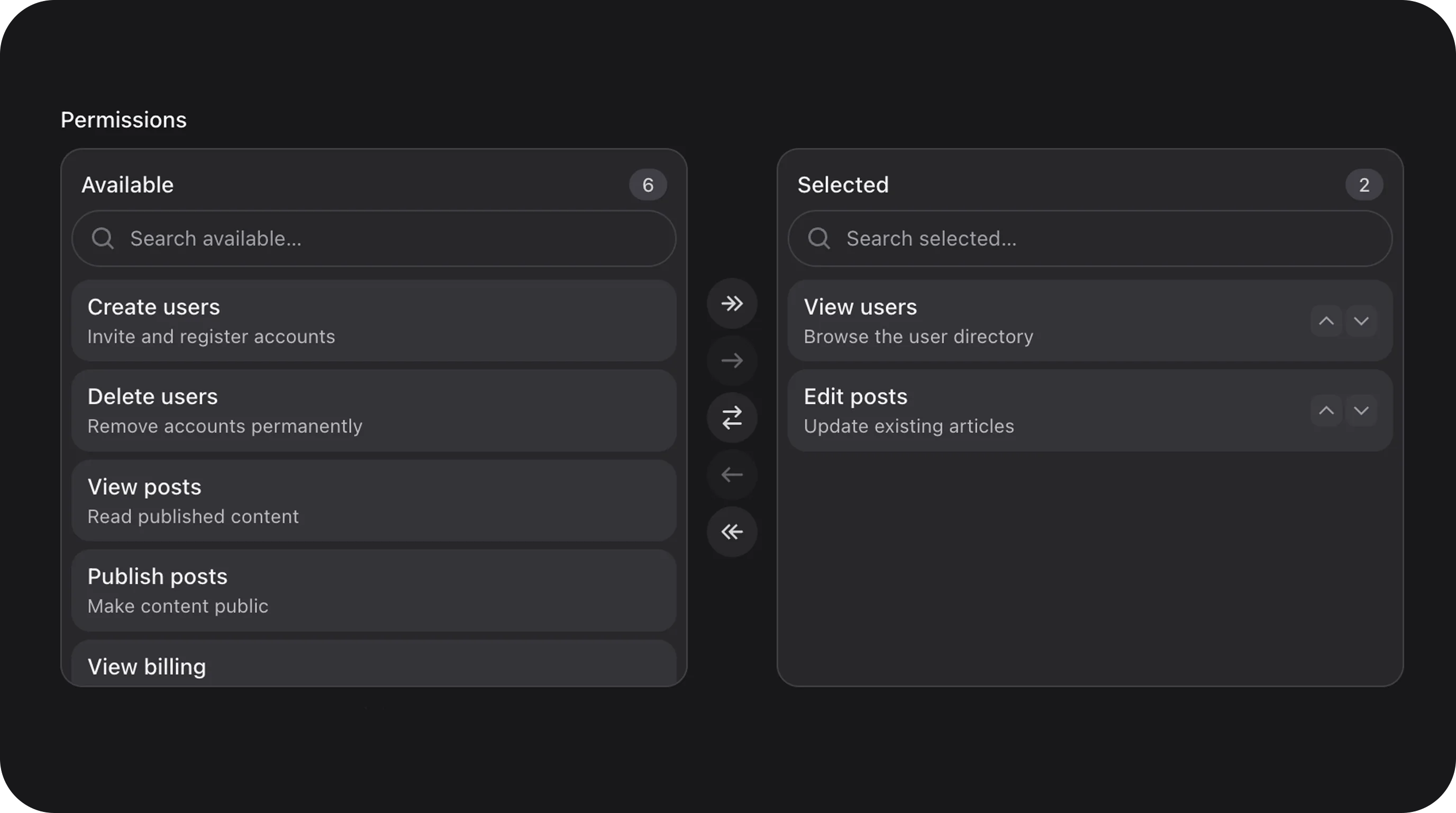
Multi-select with “Available” and “Selected” panes. Supports real-time search, drag-and-drop reordering, double-click transfer, and virtual scrolling for high-performance handling of thousands of options.Basic usage
Standard role selection
Locked options
Mark keys that must stay put — they still appear in the list, but cannot be transferred between panes. Locked items already in Selected can still be reordered.Custom labels and height
State & validation
Stored value
The field stores an array of keys from theoptions() list. The order of keys in the array matches the order in the “Selected” pane if reorderable() is enabled.
Validation Rules
You can enforce minimum or maximum selection counts:Advanced Features
Virtual Scrolling
When the number of options exceeds 100, the component automatically enables virtual scrolling. This allows it to handle 10,000+ options without slowing down the browser.Double-click Transfer
Users can double-click any item to instantly move it to the other pane. This can be disabled viamoveOnDoubleClick(false).
Reorder selected items
Drag items in the Selected pane to change order, including locked (disabledOptions) rows. Those rows cannot be moved to Available. Arrow buttons remain as an accessible fallback. Disable both with reorderable(false). On stacked (narrow) layouts, transfer arrows point up and down.
Multi-select on touch
On phones and tablets, scroll the list normally. Hold one item still for a moment to pick it up — a stacked preview follows that thumb, with a count badge when more than one item is held. Tap more items with another finger to add them to the stack. After you drop the group, the highlight is cleared. Drop on the Selected list to insert before or after a row (upper vs lower half), or on Available to remove items from Selected. Transfer buttons still move the whole selection. On desktop, hold Cmd/Ctrl (or Shift for a range) and use drag-and-drop in the Selected pane.Custom Icons
Every button and search icon can be customized to match your UI.Configuration API
All methods acceptClosure unless noted.
Real-world examples
User Permissions Management
Playground
/admin/flex-fields-playground/dual-listbox
The playground includes a Locked options demo (disabledOptions()).
See Playground for setup.