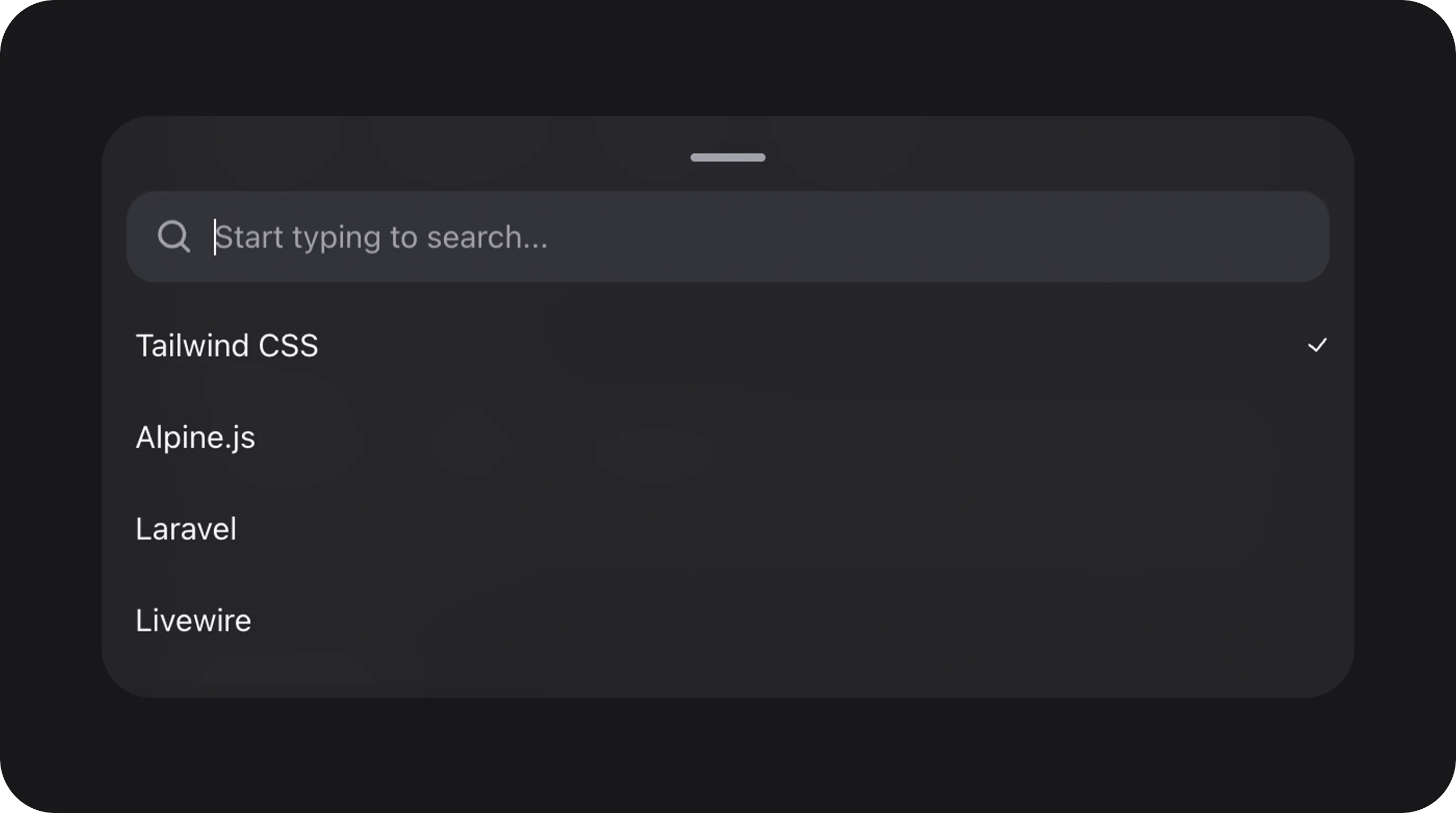
Summary
Production-ready Filament Select for large catalogs and rich UX: pill trigger, virtualized option lists, async / paginated Livewire search, rich rows (avatar, badge, description), grid layouts, multi-select chips, create-option / smart suggest, and a mobile bottom sheet (drag handle, sheet search, checkmarks). Extends FilamentSelect — all native Select APIs remain available.
Works with all standard Filament field APIs:
required(), disabled(), hidden(), live(), afterStateUpdated(), validation rules, etc.
Basic usage
Standard select with rich options
Multi-select with chips
Email recipients (two-line options + chip labels)
UsechipLabel (or chip_label) on rich options when the dropdown should show name + email, but selected chips should show only the email:
triggerLabel use the compact chipLabel text.
Custom value (optionView())
Use optionView() when you need full control over option HTML — custom Blade per row and trigger (server-side equivalent of render props). Pair with optionTriggerView() when the closed trigger should differ from the dropdown row.
$option, $layout (list, trigger, grid, chip), $field, $value, $label, $description, and any data from optionViewData().
Use richListTriggerDisplay() to keep the full list row (avatar + name + email) in the closed trigger instead of the compact trigger layout.
Htmlable, View, or a nested view name:
optionView() automatically enables allowHtml() and sanitizes output through the package HTML sanitizer.
Multi-select checklist (keep options visible)
UsekeepSelectedOptionsInDropdown() when selected options should stay in the list with checkmarks (dropdown stays open while toggling):
On single-select fields this is a no-op (shouldKeepSelectedOptionsInDropdown() stays false).
State & validation
Stored value
State is the option key fromoptions().
Default state
The field defaults tonull (single) or [] (multiple).
Validation rules
Configuration API
All methods acceptClosure unless noted.
variant()
optionLayout()
Use grid for a multi-column visual picker:
inlineSearch()
Recommended for single-select searchable fields to keep the UI compact — the search field is the trigger, not a separate label swap:
multiple(): hasInlineSearch() is false when the field is multi-select, even if you chain inlineSearch(). Multi-select fields should use dropdown / sheet header search (searchable() without relying on inlineSearch()).
For RTL layouts, set extraAttributes(['dir' => 'rtl']) on the field — the teleported panel and mobile sheet (bottom drawer) both copy the trigger writing direction onto the menu (dir="rtl"), so search icons, checkmarks (inset-inline-end), and option text mirror correctly. Search inputs use dir="auto" so Hebrew/Arabic queries get an RTL caret while Latin queries keep a normal LTR caret.
Works with entityMentions() — type @ in the inline search input or press @ on the closed trigger to start a mention query.
Smart suggest (recentOptions, suggestedOptions, allowCreateOption)
Pin curated rows at the top of the dropdown and optionally allow creating a new value from the current search:
searchable(). When the query has no exact label match, a Create “…” row appears at the top of the list (label from filament-flex-fields::default.select_field.smart_suggest.create). Choosing that row commits the trimmed search string as the field value — same string for both value and label. No modal opens and no PHP callback runs at click time.
Created string keys are intentional state. With allowCreateOption() on, the package does not apply its static-option Rule::in-equivalent (and skips Filament’s “must resolve a label” probe), so a POSTed create string can pass server validation. Constrain shape and length yourself:
Persist or insert in the database yourself — typically on form save, or immediately with
live() + afterStateUpdated():
tag_id) after insert, create the row in afterStateUpdated and $set the new key — or prefer the modal path below when the new record needs more than one field.
Create option: inline vs modal (which API?)
Two different create flows exist. Do not mix their mental models:
Modal example (also works without
relationship() when you maintain options() yourself):
/select-field shows inline single + multiple next to the modal form demo.
Entity mentions (entityMentions())
Async people/entity picker triggered with @ in the closed trigger, inline search input, or dropdown search:
@ prefix and fff-select-entity-mention-chip styling. Playground: Entity mentions on /select-field. See also Upgrade v2 → v3.
Real-world examples
User select with avatars
Multi-select tags in a Section
Grouped sections
Nest option groups inoptions() to render section headers in the dropdown. Enable explicit dividers between groups (default on):
optionGroupSeparators(false) to fall back to header-only dividers.
Disabled options
Disable specific keys while keeping them visible in the list:disableOptionWhen() remains available for dynamic rules.
Async search with load more
For large remote datasets, paginate search results and append rows as the user scrolls:options() still lazy-load on first open (select__dynamic_options in the playground).
Pagination note: true “load more” paging requiresgetSearchResultsPageUsing(). Without it, the field may still call a non-paginated search callback and will sethasMore=falseafter the first page so the client does not spin forever.
Search rate limit: Livewire search endpoints for Select / Tags / IconPicker are capped byfilament-flex-fields.select.search_rate_limit_per_minute(default 60/min per actor+field). The limiter keys on the authenticated user id when present, otherwiseRequest::ip()— configure Laravel TrustedProxies correctly behind a load balancer so spoofedX-Forwarded-Forheaders are not trusted.
FlexFieldFormBuilder / Studio config
SelectFieldConfigurator (Studio / FlexFieldFormBuilder) maps these config keys onto the fluent API:
PHP-only (not configured from Studio): async search (
getSearchResultsUsing(), getSearchResultsPageUsing(), paginatedSearchResults()), relationship(), dependsOn(), create/edit option modals, and other Livewire search contracts. Wire those on the field in PHP.
variant('item-card') defaults clearable off unless clearable is set explicitly in config or via clearable().
Playground
/admin/flex-fields-playground/select-field
See Playground for setup.
Filament Select parity
SelectField extends Filament\Forms\Components\Select. Every public Select API from the Filament docs is available with the same method names. The headless Alpine/Livewire UI wires behaviour that Filament’s JS select would otherwise handle.
Out of scope for this field (separate Filament components): MorphToSelect, ModalTableSelect. Use those classes when you need morph type pickers or table-in-modal selection.
Coverage matrix (Filament Select docs → SelectField)
Basic options & JS select
Searching & custom messages
Multi-select, reorder, min/max items
getOptionLabelsUsing() (plural), same as Filament.
Grouped options
Relationship (+ preload, create/edit modals, pivot)
allowCreateOption()) is documented under Create option: inline vs modal: one-field create from the search string, no modal, no automatic DB insert. Use createOptionForm() / createOptionUsing() when the new record needs multiple fields or a server-side primary key.
Call disabled() before relationship() on multi relationship selects (Filament requirement).
HTML labels, wrap, placeholder, disabled options, affixes, boolean, position
Cascading options (dependsOn)
skipRenderAfterStateUpdated() or partiallyRenderComponentsAfterStateUpdated([...]) on the parent — a full Livewire morph is what makes Region feel “blocked”, not the Region trigger itself.
Related components
CSS classes (reference)
Performance
Destroy / morph cleanup
Headless Select tears down cleanly when Alpine destroys the component: cancel in-flight relationship search, unbind menu listeners, release teleported overlay / sheet scroll-lock, and unregister from the flex-dropdown coordinator. Livewire morph can remove a field node before Alpine finishesdestroy() (modal / slide-over close, navigate). The teleported menu layer also hooks Livewire.hook('morph.updating') for emergency overlay cleanup so orphan menus and body scroll-locks do not stick.