VoiceNoteRecorderField ← Back to Table of Contents

Summary

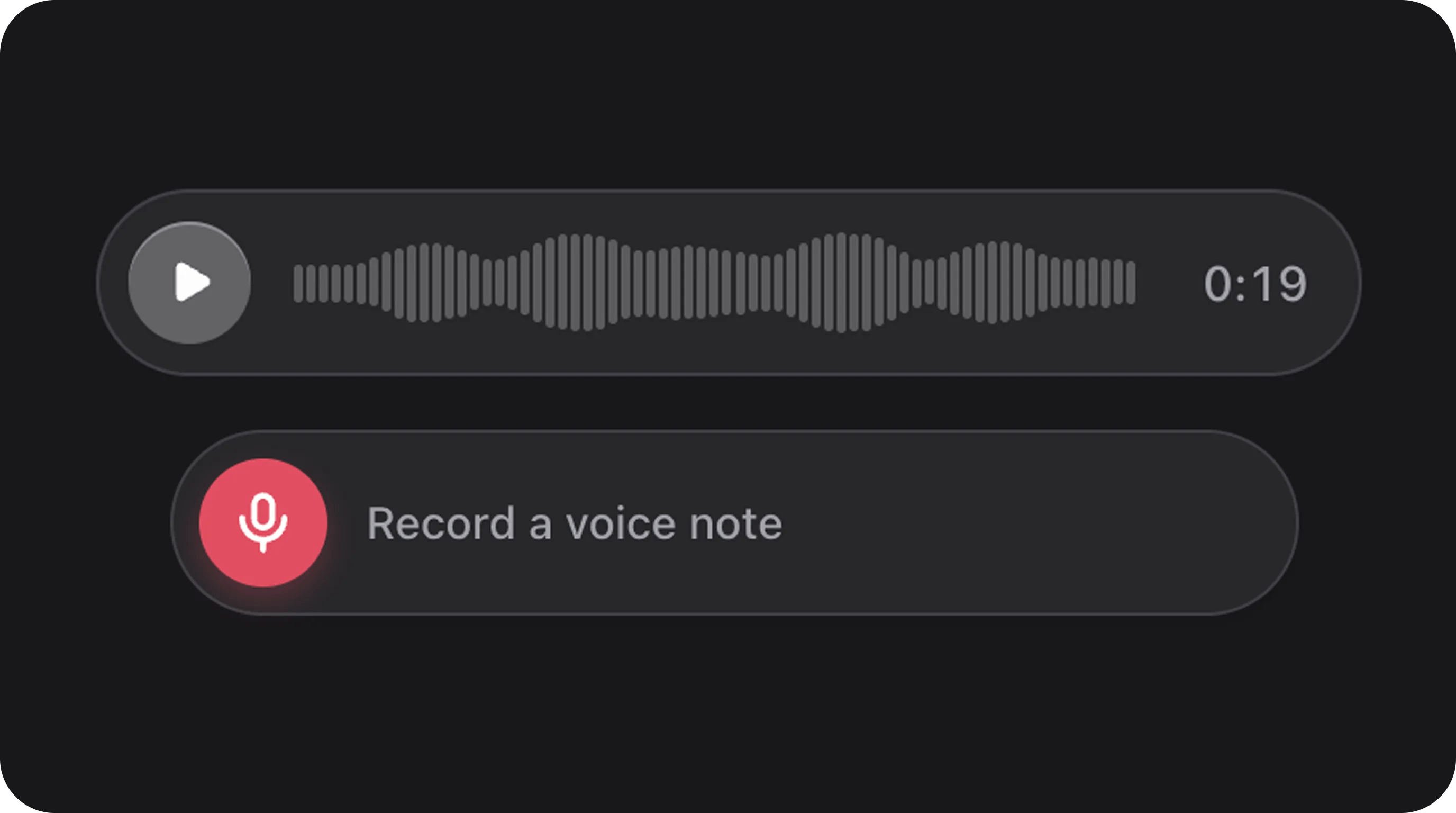
In-browser voice recorder featuring a real-time frequency visualizer, inline playback (waveform + play/pause), and seamless Filament FileUpload storage integration. Records audio from the microphone, previews locally, and handles the entire upload/persistence pipeline.
ClassBjanczak\FilamentFlexFields\Filament\Forms\Components\VoiceNoteRecorderField
State typestring|null — stored path on disk after save
FieldType(use the class directly)
ExtendsFlexFileUploadFilament\Forms\Components\FileUpload
Playgroundaudio-field slug in Flex Fields playground

Basic usage

Default — Upload on Form Submit

use Bjanczak\FilamentFlexFields\Filament\Forms\Components\VoiceNoteRecorderField;

VoiceNoteRecorderField::make('voice_note')
    ->label('Voice message')
    ->disk('public')
    ->directory('voice-notes')
    ->maxDuration(120); // 2 minutes

Immediate Upload after Recording

VoiceNoteRecorderField::make('feedback_audio')
    ->uploadImmediately()
    ->disk('s3')
    ->directory('feedback');

State & validation

Stored value

State is a relative path string to the stored audio file on your configured disk.
$record->voice_note; // 'voice-notes/01H….webm'

Validation rules

Inherits all FileUpload validation rules (maxSize(), required(), etc.). Default accepted MIME types include audio/*, audio/mpeg, audio/wav, audio/webm, audio/aac.

Configuration API

All methods accept Closure unless noted.
MethodTypeDefaultDescription
maxDuration(int $seconds)Setup120Max recording length
uploadImmediately(bool $cond)SetupfalseUpload to temp storage right after recording
uploadOnSubmit(bool $cond)SetuptrueDefer upload until form submit
microphoneIcon(string $icon)SetupconfigCustom microphone icon
stopIcon(string $icon)SetupconfigCustom stop icon
trashIcon(string $icon)SetupconfigCustom delete icon
playIcon(string $icon)SetupconfigCustom play icon
pauseIcon(string $icon)SetupconfigCustom pause icon
size(string $size)Setup'md'sm, md, lg
focusOutline(bool $cond)SetupfalseEnable shared focus ring

Inherited FileUpload API

Commonly used methods from the standard Filament FileUpload:
  • disk(string $name)
  • directory(string $directory)
  • visibility(string $visibility)
  • maxSize(int $size)
  • deleteFileOnRemove() (Enabled by default)

Real-world examples

Support Ticket Voice Note

VoiceNoteRecorderField::make('issue_description')
    ->label('Describe the issue')
    ->disk('public')
    ->directory('tickets/voice-notes')
    ->maxDuration(60)
    ->required()
    ->helperText('Record up to 1 minute.');

Private S3 Recording

VoiceNoteRecorderField::make('private_note')
    ->disk('s3')
    ->directory('internal/voice')
    ->visibility('private')
    ->uploadImmediately();

Playground

/admin/flex-fields-playground/audio-field See Playground for setup.
ComponentWhen to use instead
AudioFieldPlayback-only audio pill
FlexFileUploadStandard file picker for existing audio files
VideoFieldVideo playback and recording (if supported)

CSS classes (reference)

ClassRole
fff-voice-recorderRoot wrapper
fff-voice-recorder--{sm|md|lg}Size variant
fff-voice-recorder__record-btnMicrophone button
fff-voice-recorder__recordingActive recording UI
fff-voice-recorder__visualizerReal-time frequency canvas
fff-voice-recorder__playback-pillPlayback bar wrapper
fff-voice-recorder__waveformScrubbable waveform
is-submittingDeferred upload in progress